Step 1: Download iOS 4.0.2 for your version of iPhone and iPod touch. Download links are given below.
Step 2: Update to this latest firmware using the IPSW file you just downloaded via iTunes 9.2.1
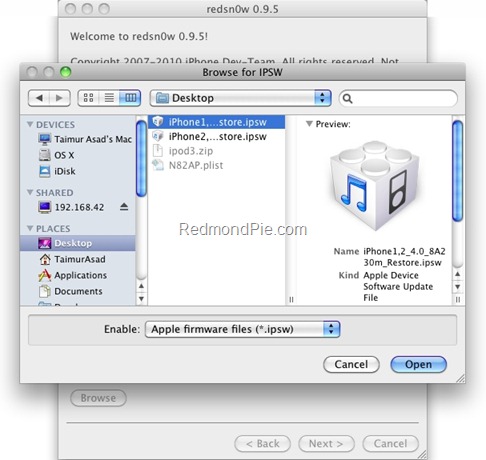
Step 3: Start Redsn0w 0.9.5b5-5 (download link given below) and point it to iOS4 (Final Version), and not iOS 4.0.2 firmware file to proceed with the jailbreak.
Download iOS 4.0.2
Download Redsn0w 0.9.5b5-5 for Mac
Download Redsn0w 0.9.5b5-5 for Windows
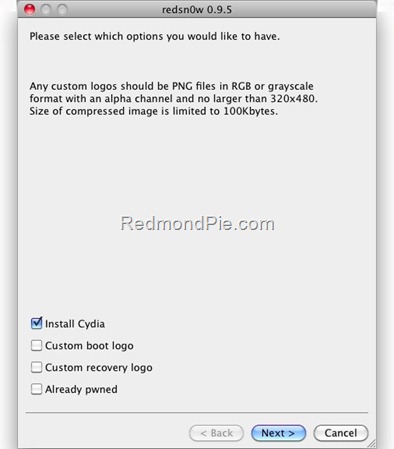
Step 4: Now select “Install Cydia” and click “Next”.
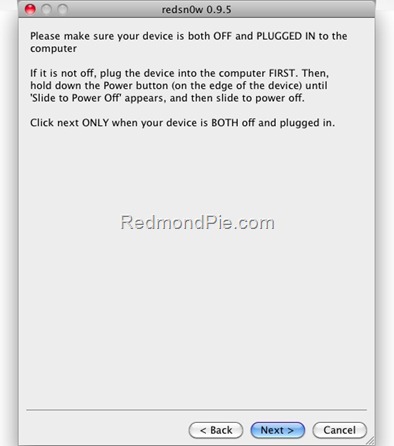
Step 5: Now make sure your device is both OFF and PLUGGED IN to the computer before you click “Next”.
Step 6: Connect your device in recovery mode by pressing the Power and buttons continuously.
At this stage you will be presented with a screen where you will have to quickly hold “Power” button and then while holding the “Power” button, you will now have to hold “Home” button too. Now after few seconds release “Power” button but keep holding “Home” button until installation begins.
Step 7: Sit back and enjoy while redsn0w will do all the rest for you. Once done, your iPhone and/or iPod touch will restart automatically and you will find it jailbroken on the latest iOS 4.0.2 firmware.
Step 8: Once your iPhone is jailbroken, start “Cydia” application on your iPhone and touch on “Manage” tab on the bottom. Now touch on “Sources” as seen in the screenshot below: Note: T-Mobile users should disable 3G internet before installing ultrasn0w. Step 9: Touch on “Edit” and then on “Add”. You will be prompted to enter a url source as seen in the screenshot below. Type “http://repo666.ultrasn0w.com” and touch on “Add Source”. Cydia will now automatically update your sources by following a series of automated steps. Step 10: Once the repository has been added successfully, Search for “ultrasn0w” in Cydia and install this application. The latest version 0.92 of this app will automatically unlock your iPhone so that you can use it with any carrier with proper carrier name/logo. Step 11: Now simply restart your iPhone. Voila! You should now have a fully unlocked iPhone 3G on firmware 4.0.

