Sn0wbreeze - V1.7
Step 1: Download and install the latest version of iTunes.
Step 2: Now start iTunes and sync your Device with your PC so that it backs-up all your important data including settings, apps, music, contacts and photos.
Step 3: Download Sn0wbreeze and the original iOS 4 firmware file for your Device (download links given below). Move all these files to your desktop.
Step 4: Start Sn0wbreeze and select “Simple Mode”
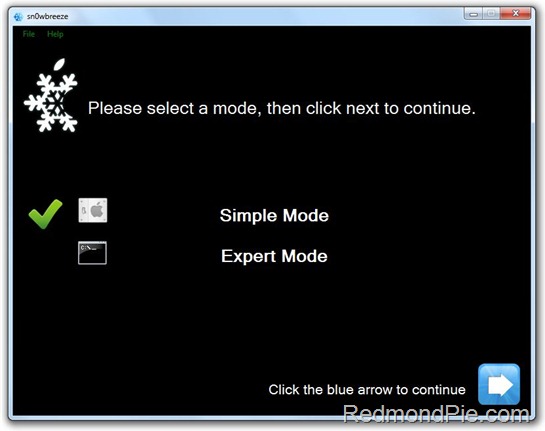
Step 5: Select the correct iOS 4 firmware file by clicking the “Browse” button. Sn0wbreeze will verify the selected file and then will present you with following screen. Step 6: Click on “No” only if you are on an officially supported carrier in your area such as AT&T in the USA. Otherwise click “Yes”
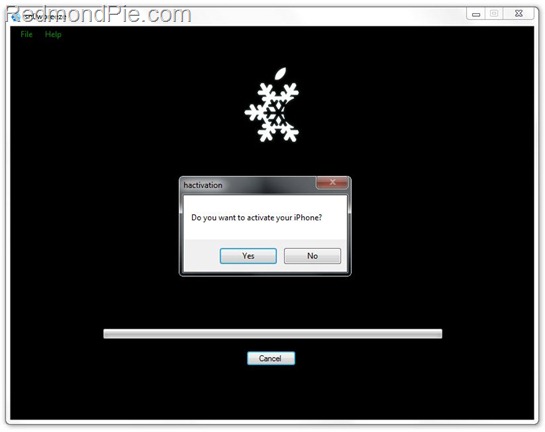
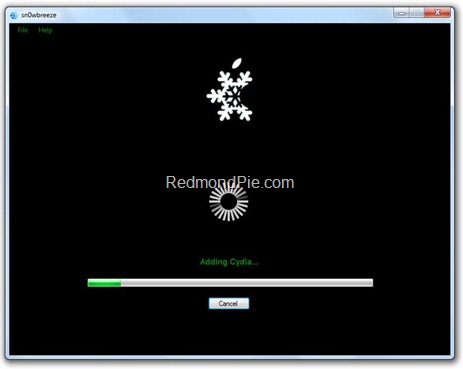
Step 7: Sn0wbreeze will now create the custom firmware file for your Device which will be jailbroken.
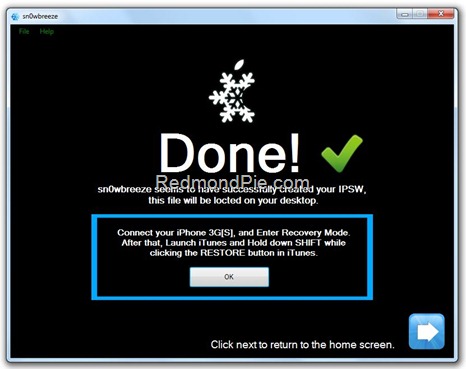
Step 8: Now you will have to restore your Device with the firmware you just created. Click on your Device from the sidebar in iTunes, press and hold “Shift” button on the keyboard, and then click on “Restore” (Not “Update” or “Check for Update”) button in the iTunes. Once the browser screen is open you can depress the “Shift” key Step 9: Browse for your firmware and wait till the restore is complete. If you do not need to unlock then you can stop here otherwise keep going. Step 10. Open the Cydia app. Navigate to the manage tab. Click Sources. Click the edit button at the top of your screen. Click add and type Http://repo666.ultrasn0w.com/. Click add source and your device will verify the URL. This could take a while be patient. Step 11. Next you will see a black screen which has a loading bar. Wait till the device completes this action and you will see the “Return to Cydia” button. Click it.Step 12. At the top of your screen click done and scroll down to find “repo666.unltrasn0w.com”. Click it, in that menu click ultrasn0w, and click the “install” button at the top of your screen. Reboot the phone and you should be unlocked.