Note: The jailbreak released is supported on all A4 based (and below) devices like iPhone 4, 3GS, iPod Touch 3G/4G and iPad 1. Newer A5-based devices like iPad 2 and iPhone 4S are currently not supported.
For Users On iOS 5.0.1 Tethered Jailbreak:
If you are currently operating an A4 device which has a tethered jailbreak using Redsn0w, Ac1dSn0w or Sn0wbreeze then you can simply launch Cydia from your Springboard and download a package named ‘Corona’ which will provide you with an untethered jailbreak.
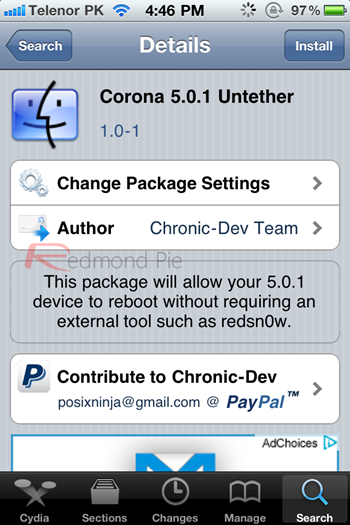
For Users On Stock iOS 5.0.1:
If your device is running stock iOS 5.0.1 then you can use download the latest Redsn0w 0.9.10b1 to for either Windows or Mac to give yourself an untethered jailbreak.
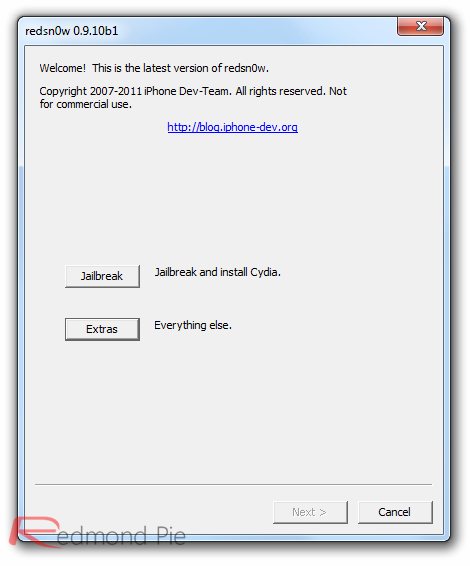
Step 1: Download the latest version of Redsn0w from the links given above.
Step 2: Start Redsn0w, select "Jailbreak" then check "Install Cydia". Follow the onscreen steps to place your device into DFU mode.
Step 3: Wait for Redsn0w to apply the full untethered jailbreak!
Once done, your iPhone, iPad or iPod touch will be rebooted into fully untethered jailbreak mode!

iPhone 4 GSM, jailbroken on iOS 5.0.1
For Users Who Rely On Unlock:
For those of you who rely on Ultrasn0w or Gevey SIM unlock must preserve the old baseband using “Custom IPSW” option found in Redsn0w.